
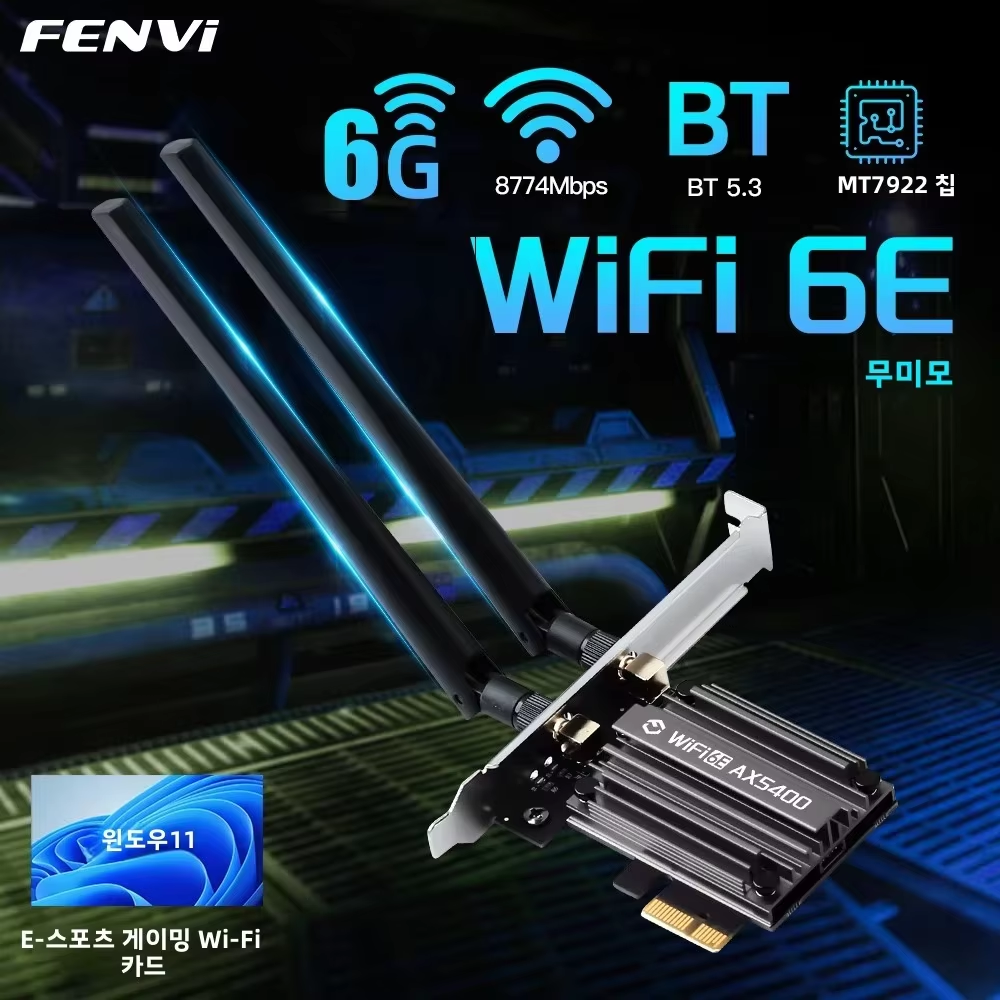
Tri-Band 6G/5G/2.4G
Massive 65% OFF – Upgrade Your PC to Next-Gen WiFi 6E at a Budget Price
If you are looking for a powerful, future-ready wireless upgrade for your desktop PC, the Fenvi 5374Mbps WiFi 6E PCIe Wireless Adapter is one of the best-value WiFi 6E cards currently available online. With tri-band support (6GHz, 5GHz, and 2.4GHz), Bluetooth 5.3, and speeds up to 5374Mbps, this adapter delivers next-generation wireless performance at a surprisingly affordable price.
Even more impressive is the current deal — only USD 7.66 (65% off) — making it an unbeatable choice for gamers, streamers, content creators, and everyday PC users who want faster, more stable internet connectivity.
In this in-depth review, we will cover everything you need to know before buying.
1. Product Overview
The Fenvi MT7922 WiFi 6E PCIe Network Card is designed to bring cutting-edge WiFi 6E technology to desktop computers that lack modern wireless capabilities. Unlike older WiFi adapters that only support 2.4GHz and 5GHz bands, this model adds the 6GHz band, unlocking faster speeds, lower latency, and less network congestion.
Powered by the MediaTek MT7922 chipset, this adapter supports the latest IEEE 802.11ax (WiFi 6 / 6E) standard, delivering ultra-fast wireless speeds ideal for demanding tasks such as:
- Online gaming
- 4K / 8K video streaming
- Large file downloads
- Video conferencing
- VR and cloud gaming
The built-in Bluetooth 5.3 ensures seamless connectivity with wireless headphones, keyboards, mice, game controllers, and other Bluetooth devices.
Thanks to its PCIe interface, the Fenvi WiFi 6E card provides more stable performance compared to USB adapters, making it a reliable long-term solution for desktop PCs.
2. Features & Specifications
🔹 Key Features
- WiFi 6E (802.11ax) Support
- Tri-Band Connectivity: 6GHz + 5GHz + 2.4GHz
- Maximum Speed up to 5374Mbps
- Bluetooth 5.3 Built-In
- MediaTek MT7922 Chipset
- PCIe x1 Interface
- Advanced MU-MIMO & OFDMA Technology
- Low Latency & Reduced Interference
- External High-Gain Antennas
🔹 Technical Specifications
| Specification | Details |
|---|---|
| Brand | Fenvi |
| Model | MT7922 WiFi 6E |
| WiFi Standard | IEEE 802.11ax (WiFi 6 / 6E) |
| Frequency Bands | 6GHz / 5GHz / 2.4GHz |
| Max Speed | Up to 5374Mbps |
| Bluetooth Version | Bluetooth 5.3 |
| Interface | PCI Express (PCIe x1) |
| Antennas | External high-gain antennas |
| Operating Systems | Windows 10 / Windows 11 |
| Security | WPA3, WPA2, WPA |
🔹 Speed Breakdown
- 6GHz Band: Ultra-fast speeds with minimal interference
- 5GHz Band: Perfect for gaming and streaming
- 2.4GHz Band: Long-range and stable connectivity
3. Pros & Cons
✅ Pros
✔ Extremely affordable price for WiFi 6E
✔ Tri-band connectivity including 6GHz
✔ Fast speeds up to 5374Mbps
✔ Stable PCIe performance
✔ Bluetooth 5.3 support
✔ Low latency for gaming
✔ Ideal for modern routers
✔ Easy installation
✔ Excellent value for money
❌ Cons
✖ Requires a WiFi 6E compatible router to use 6GHz
✖ Desktop PC only (not for laptops)
✖ Drivers may need manual installation
✖ No support for older operating systems
4. Performance & Real-World Usage
🔹 Gaming Performance
For gamers, the Fenvi WiFi 6E adapter delivers low ping, minimal packet loss, and stable connections. When paired with a WiFi 6E router, online games feel smoother, with reduced lag even in crowded networks.
🔹 Streaming & Content Creation
Streaming 4K and 8K videos becomes effortless thanks to higher bandwidth and lower congestion on the 6GHz band. Content creators uploading large files will notice faster upload speeds and more consistent performance.
🔹 Work From Home & Online Meetings
Video calls on Zoom, Google Meet, or Microsoft Teams remain stable, with fewer drops and improved audio/video quality.
5. WiFi 6E vs WiFi 6 vs WiFi 5
| Feature | WiFi 5 | WiFi 6 | WiFi 6E |
|---|---|---|---|
| Max Speed | Lower | Higher | Highest |
| Bands | 2.4G / 5G | 2.4G / 5G | 2.4G / 5G / 6G |
| Latency | High | Lower | Ultra-Low |
| Congestion | High | Reduced | Minimal |
| Future-Proof | ❌ | ⚠️ | ✅ |
WiFi 6E is the most future-ready wireless standard available today.
6. Why Should You Buy the Fenvi 5374Mbps WiFi 6E Adapter?
🔹 Best Price-to-Performance Ratio
At USD 7.66, this adapter offers features normally found in much more expensive WiFi cards.
🔹 Future-Proof Your PC
With WiFi 6E and Bluetooth 5.3, your desktop PC is ready for upcoming routers and devices.
🔹 Perfect for Gamers & Streamers
Lower latency and faster speeds mean better gaming and streaming experiences.
🔹 Ideal Desktop Upgrade
If your motherboard lacks built-in WiFi or uses outdated standards, this PCIe card is a smart upgrade.
🔹 Reliable & Stable Connection
PCIe adapters provide better stability than USB WiFi dongles.
7. Who Is This Product Best For?
- Desktop PC users without WiFi
- Gamers seeking low latency
- Streamers and YouTubers
- Work-from-home professionals
- Users upgrading from WiFi 4 or WiFi 5
- Budget-conscious buyers
8. Installation Guide (Quick Overview)
- Power off your PC
- Insert the card into a PCIe x1 slot
- Attach the antennas
- Boot your PC
- Install drivers
- Connect to WiFi
Installation typically takes 10–15 minutes.
9. Discount & Coupon Details
💰 Price Now: USD 7.66
💸 Original Price: USD 21.66
🔥 Discount: 65% OFF
🎟 Coupon Code: 5U55AJH1HH24
💲 Extra Discount: USD 1.00 OFF
📅 Valid Until: December 31, 2025
10. Final Verdict
The Fenvi 5374Mbps WiFi 6E PCIe Wireless Adapter is one of the best budget WiFi upgrades you can buy right now. It delivers next-generation performance, tri-band connectivity, and Bluetooth 5.3 at a price that is almost unbelievable.
If you want faster speeds, lower latency, and future-proof wireless performance, this adapter is an easy recommendation.
11. Call to Action (Buy Now)
🚀 Upgrade your desktop PC today with WiFi 6E technology!
Don’t miss this limited-time deal.
👉 Buy Now on AliExpress:
🔗 Click & Buy: https://s.click.aliexpress.com/e/_c4kR66Wv
💡 Hurry! Discounts and coupon codes may expire soon.
